Interpolation
The interpolation modifier scales the input value to a range of new output values. It is useful when the range of values from the input, such as a potentiometer or joystick axis, does not match the range of values expected by the simulator.
Tip
The troubleshooting guide for Potentiometers provides a step-by-step example of using the interpolation modifier with a potentiometer and simulator event.
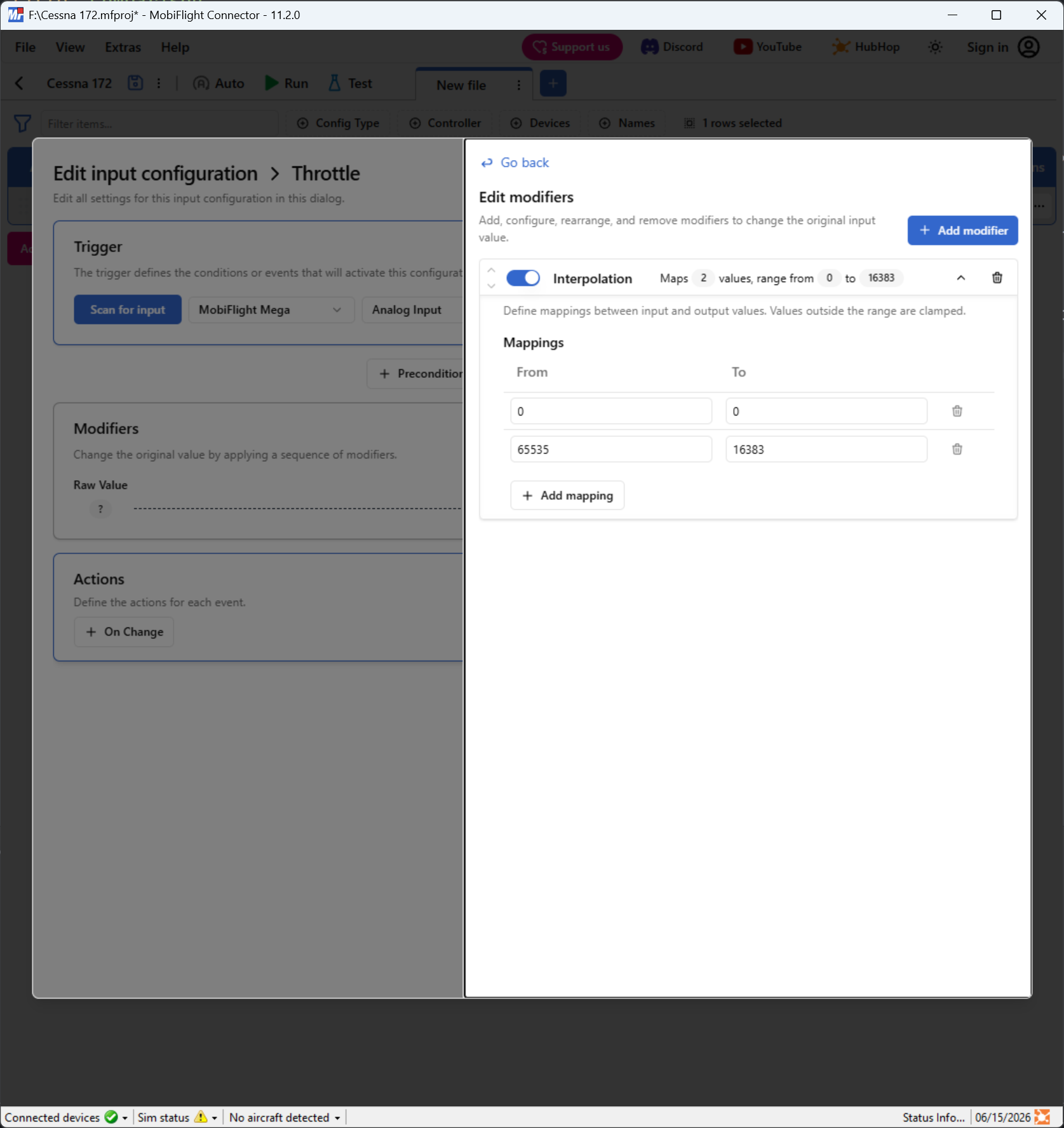
Each row defines a point on the scale for interpolation. The input value is mapped to the output value for each row, and values in between rows are scaled linearly. Additional interpolation points can be added using the Add button.
In the following screenshot, input values from 0–65535, like those from a joystick axis, are scaled linearly to an output range of 0–16383, like those for a simulator throttle event.
Tip
The interpolation modifier can also reverse the direction of a value. For example, if the first interpolation is from 0 to 1024, and the second interpolation from 100 to 0, the output value will be scaled linearly to an output range of 1024–0.