Skip to content
Disabling MIDI devices

Disabling MIDI devices

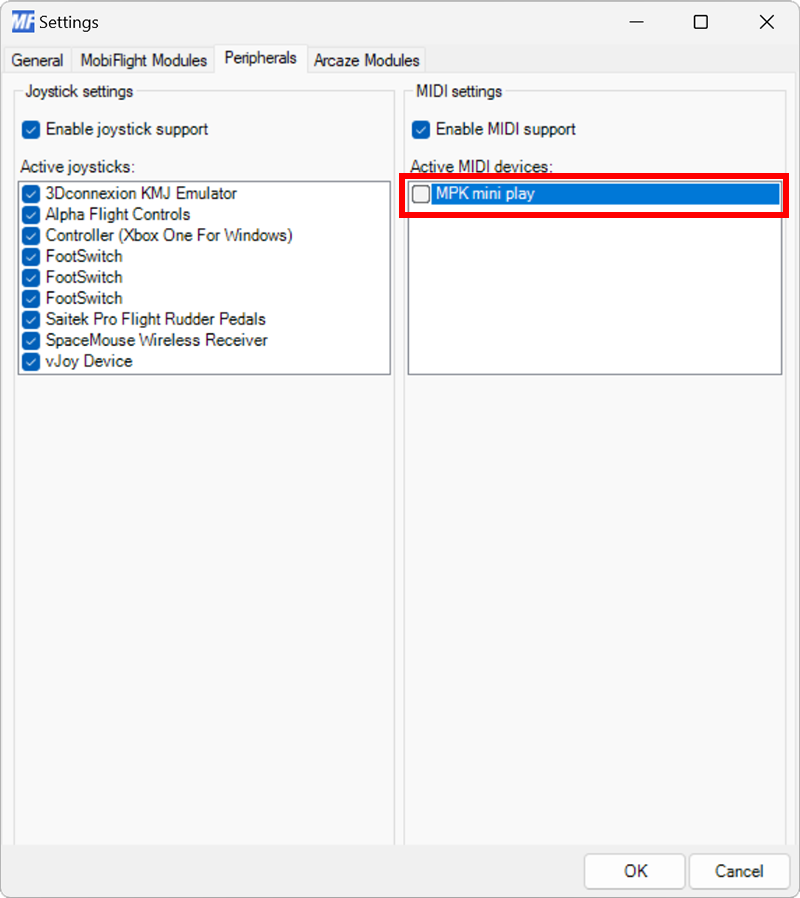
You may want to disable MobiFlight’s MIDI support in certain situations. This can be done either for all MIDI devices or for specific devices. Disabling support is useful when other software controls these devices and MobiFlight should ignore them.
Open the Controller Management dialog

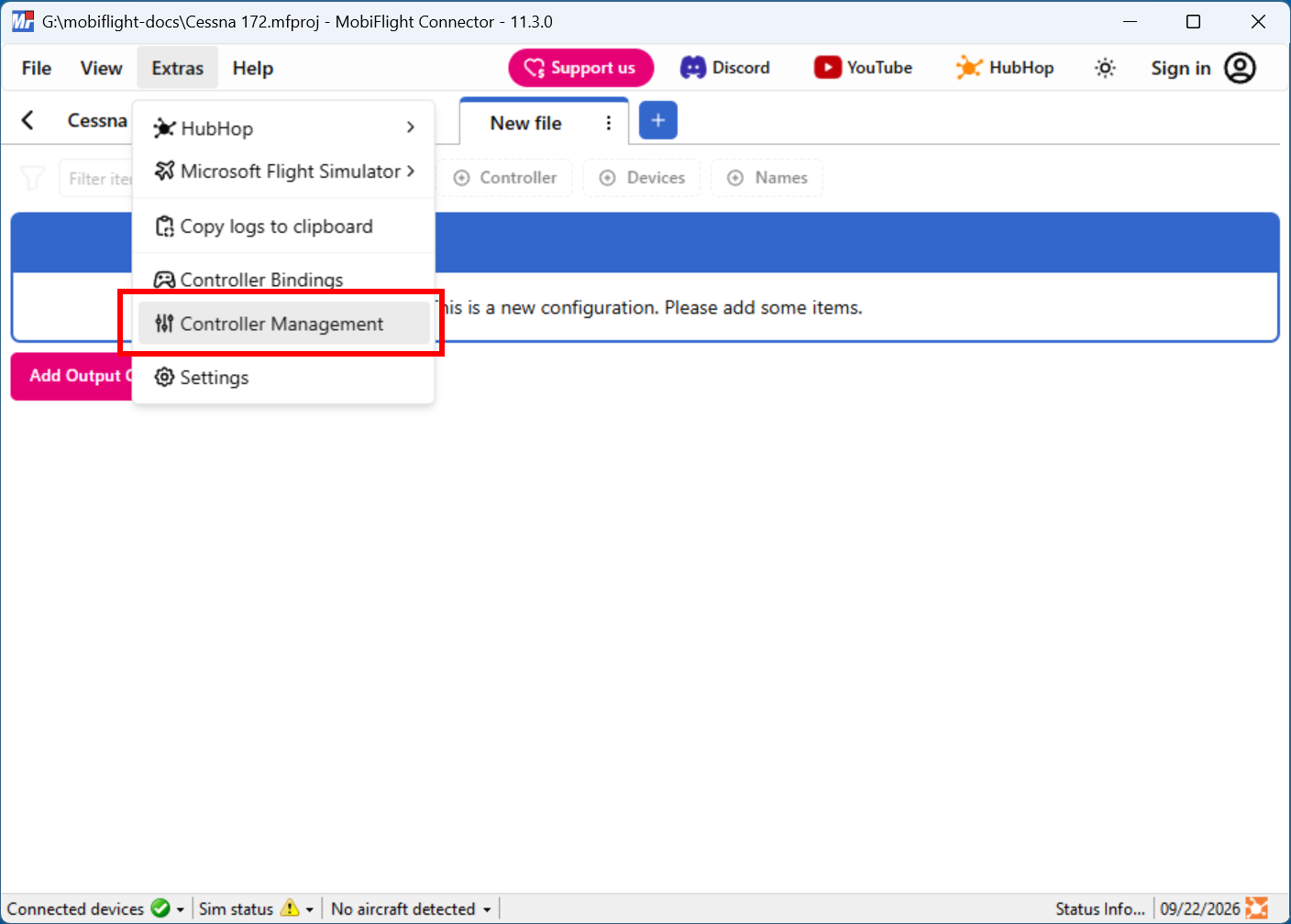
Click on the Extras menu and select Controller Management to open the Controller Management dialog.

Screenshot of the Extras menu with the Controller Management menu item selected.

Disable MIDI device support

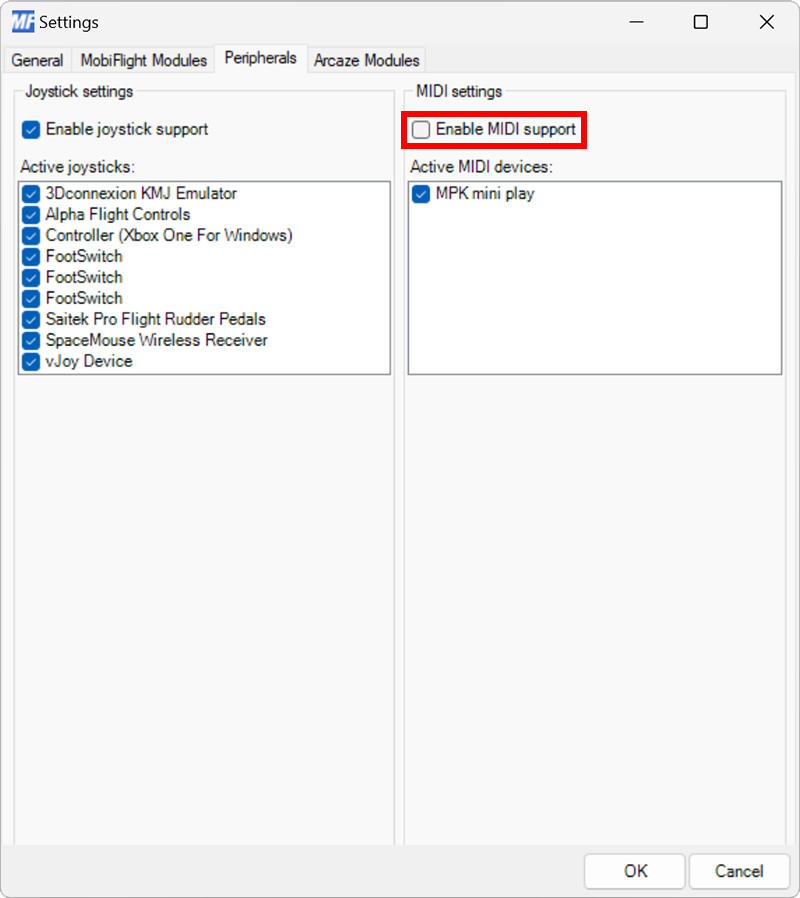
On the Peripherals tab, uncheck the Enable MIDI support checkbox.

Screenshot of the Peripherals tab in Settings with Enable MIDI support unchecked.